azure
Azure Databricks Integration with QlikView
Components
- Azure Databricks
- QlikView Desktop (with QlikOdbcConnectorPackage_setup.exe installed)
Related Articles
- Setup QlikView Databricks Integration with Simba Driver
- Service Principal Authentication to Databricks for Qlik View Using Simba Driver
Instructions
- First let’s collect Azure Databricks related configuration as follows:
- Select Cluster
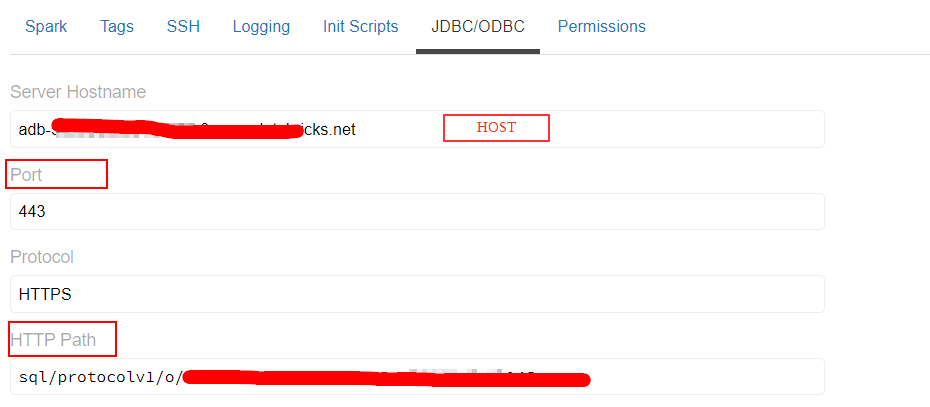
Azure Databricks → Clusters (select the cluster for compute and return results to QlikView) - Get Configuration
Configuration tab → Advanced Settings → JDBC/ODBC - Gather following highlighted details
- Generate personal token in Azure Databricks with proper comment and Lifetime (0 for live indefinitely)
User Settings → Generate New Token - Copy this data to some file for further use
- Select Cluster
-
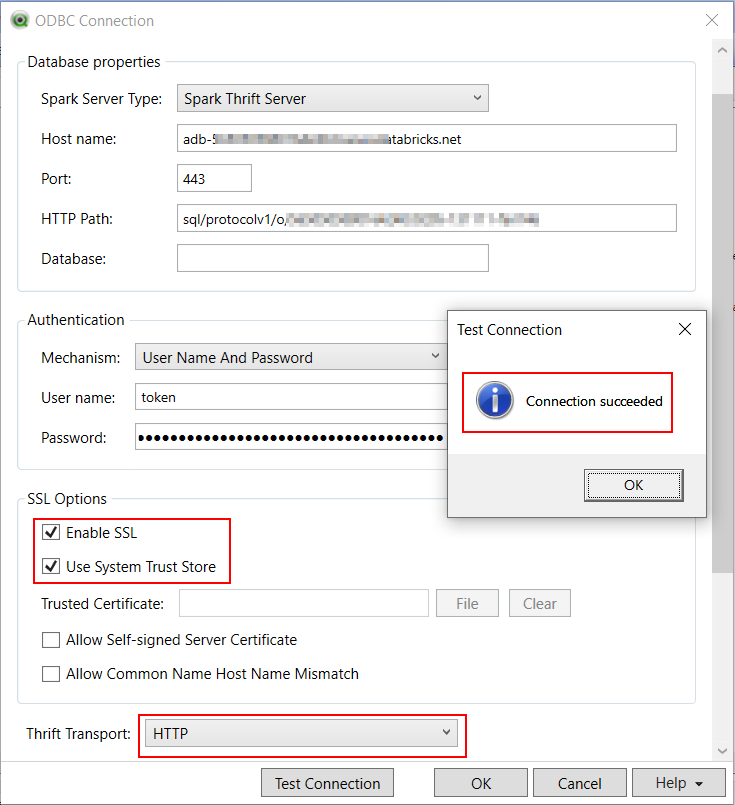
Make sure to have the following configuration and configure the Qlik ODBC connector connection by selecting
Apache Sparkdriver as providerParameter/ Setting Value Spark Server Type Spark Thrift Server Host Name HOST_FROM_DATABRICKS_CLUSTERPort PORT_FROM_DATABRICKS_CLUSTER(default value: 443)Database default (we can choose database at later steps as well) Authentication User Name and Password User Name token Password PERSONAL_ACCESS_TOKEN_GENERATEDThrift Transport HTTP SSL Options Enable SSL & Use System Trust Store HTTP Options HTTP_PATH_FROM_DATABRICKS_CLUSTER(this is enabled only when we change Thrift Transport setting) - Test Connection (this starts the cluster if it’s in terminated state and wait for the respone from cluster to the DSN ODBC driver Setup)
- Result from DSN Setup
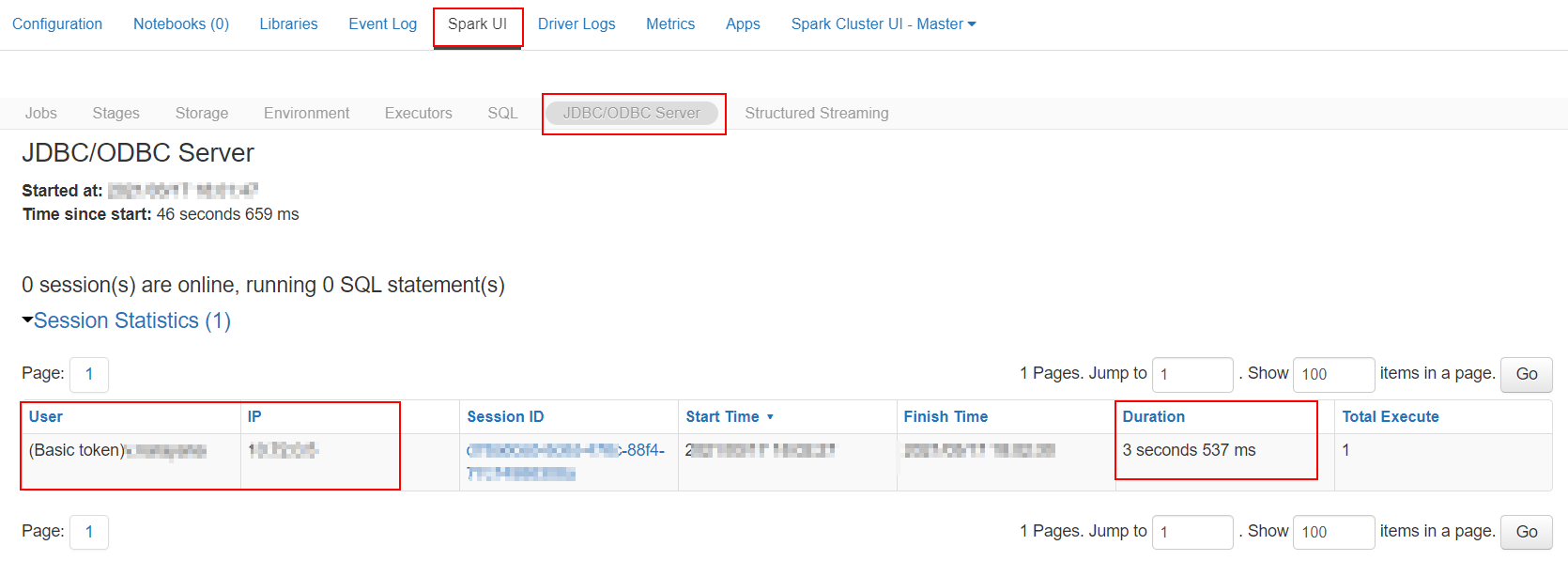
- Spark UI/ Session details
- Result from DSN Setup
- Select the required database and tables using
SELECTbutton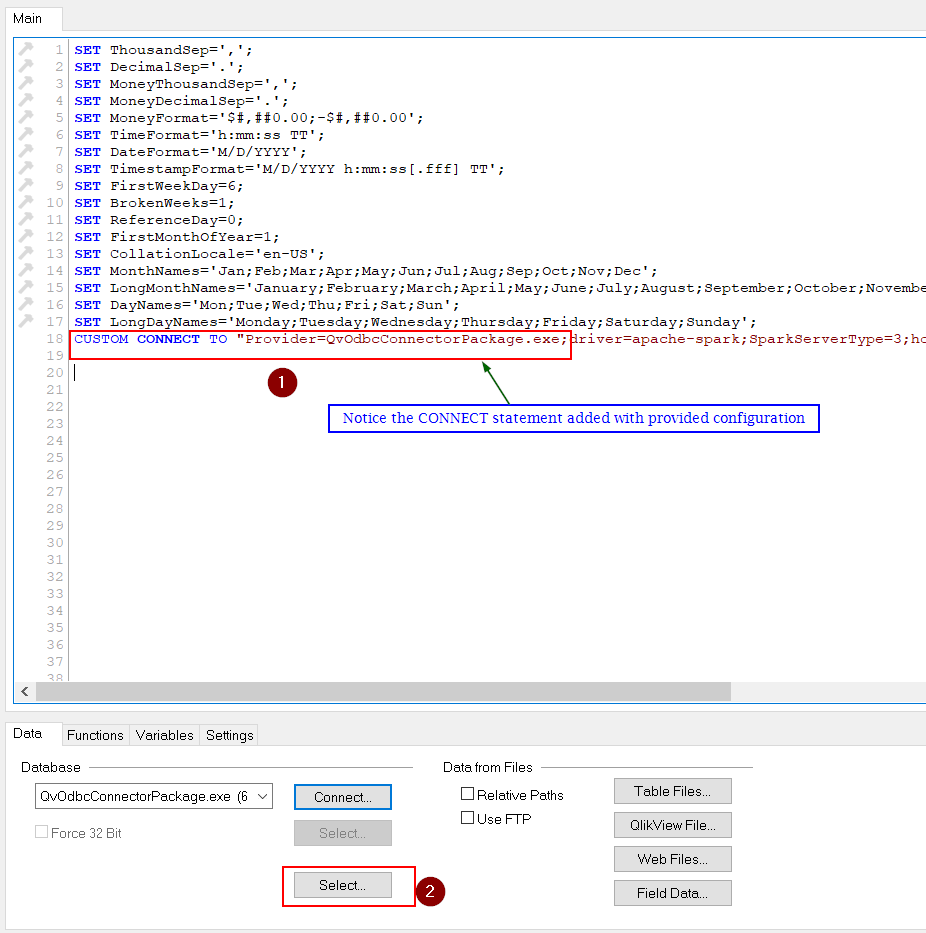
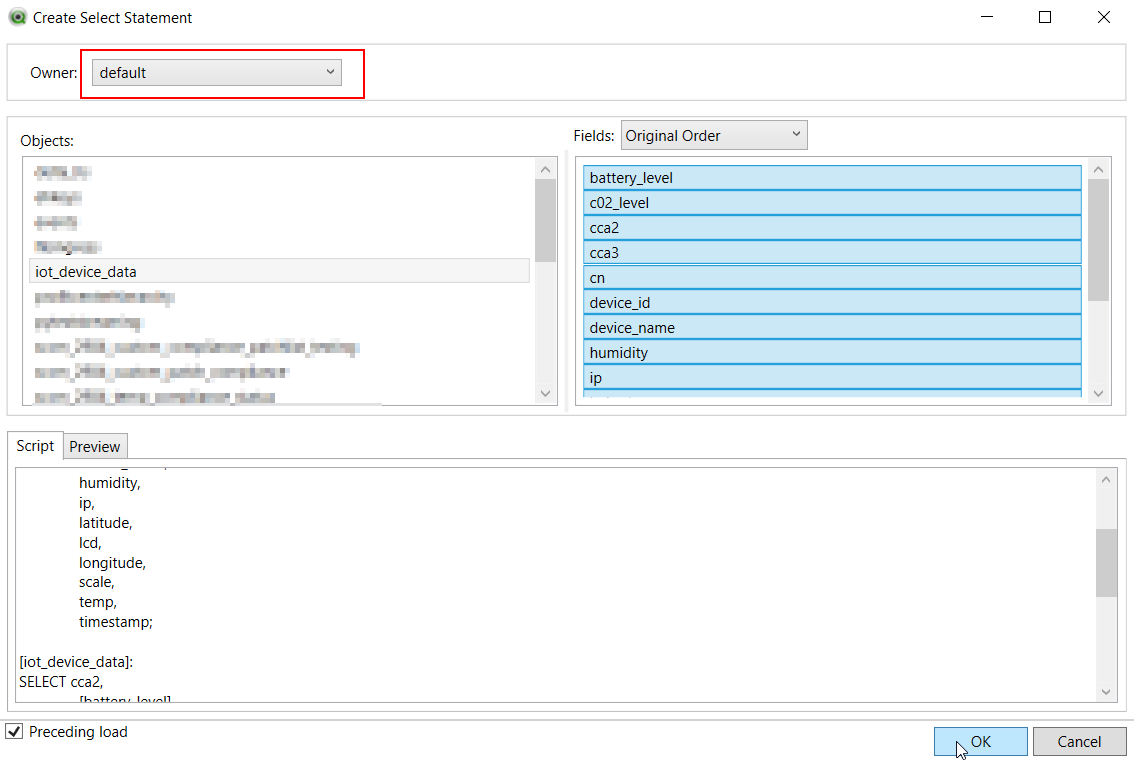
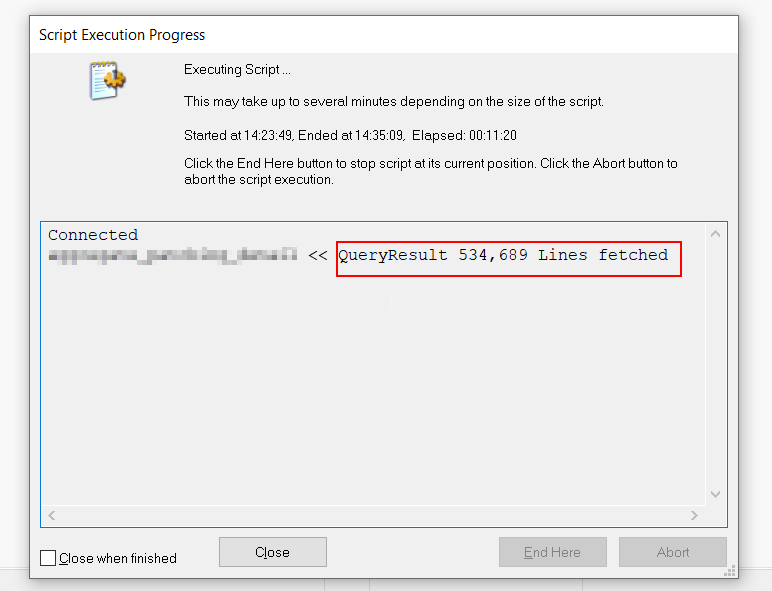
- Click Reload once we have the SQL statement append to the file, this queries and loads data from databricks database to the qvw table object
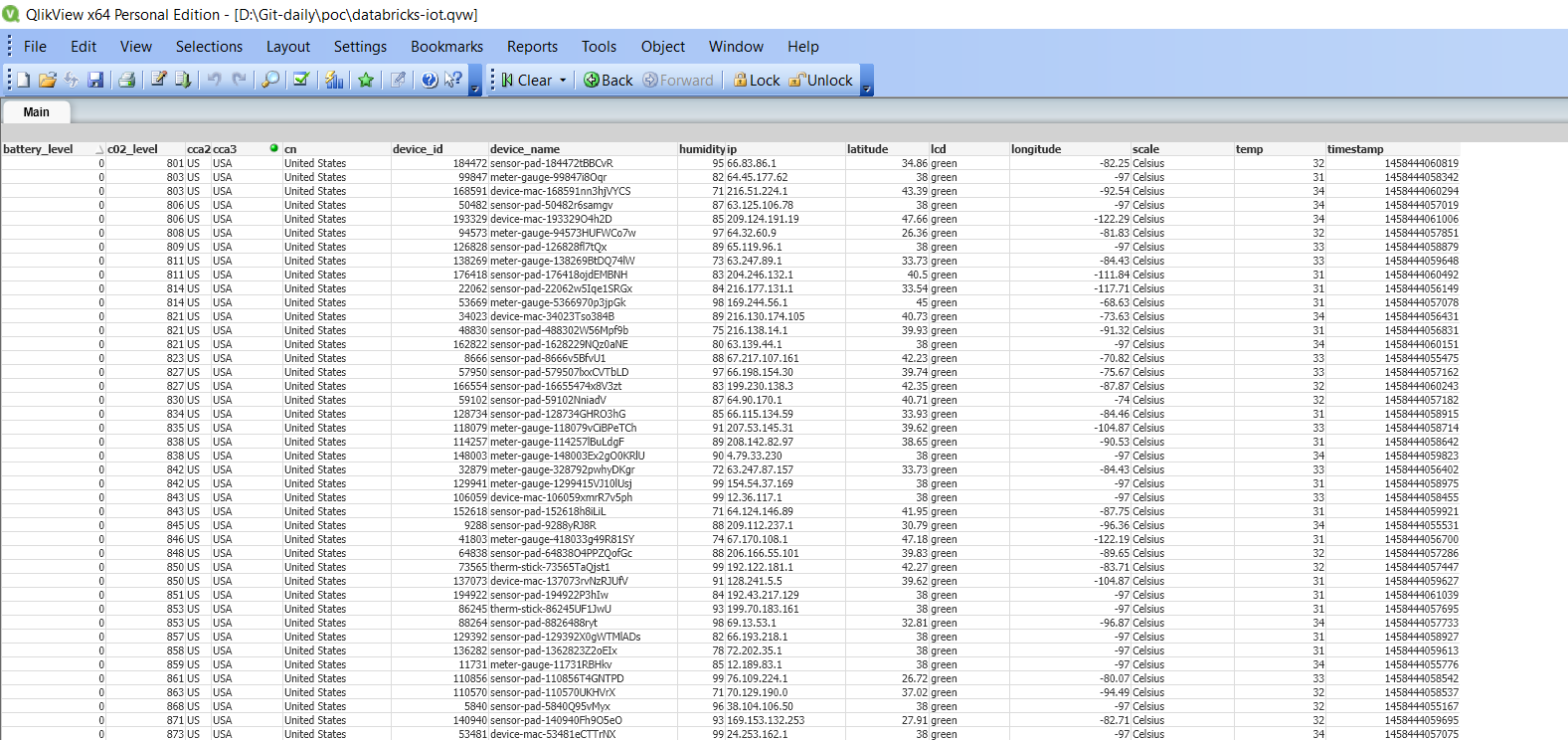
- Following is the data, when displayed using
Object → New Sheet Object → Table Box